What is the best coding fonts?
The best coding font is a monospaced typeface designed to reduce eye strain, improve readability, and clearly distinguish similar characters like the letter O and the number zero.
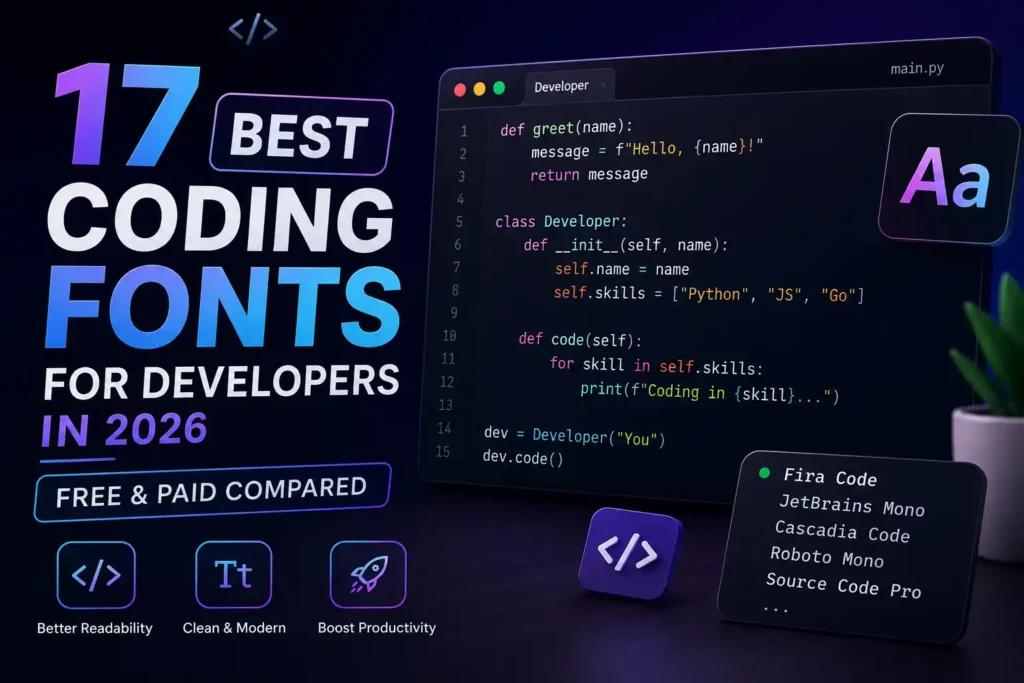
These are the top 3 best coding fonts JetBrains Mono for balanced spacing, Fira Code for programming ligatures, and Cascadia Code for terminal users.
Key benefits of upgrading your font:
- Fewer mistakes: You can easily tell the difference between confusing characters.
- Better focus: Clean spacing prevents your eyes from tiring out quickly.
- Custom aesthetics: Your workspace feels tailored to your personal style.
My FAVORITE Font for Coding & Terminal Use
Best Free Coding or Programming Fonts
You do not need to spend money to get an amazing typography experience. Most of the best monospaced fonts in the world are completely free and open-source.
1- JetBrains Mono
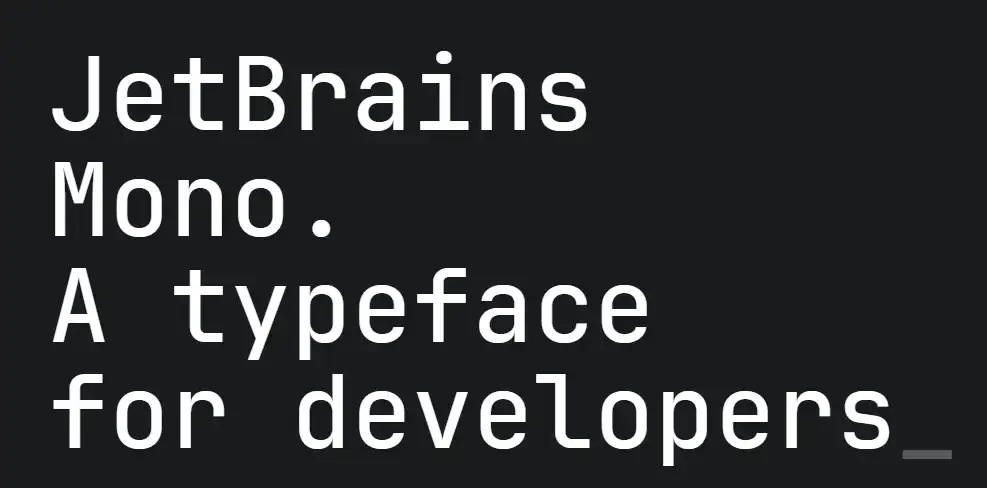
JetBrains Mono is arguably the most popular coding font today. The team at JetBrains designed it from scratch specifically for developers. It features taller lowercase letters, which keeps your eyes from working too hard when scanning dense codebases.
Pros: Extremely readable, excellent programming ligatures, perfect vertical spacing.
Cons: The taller letters might feel too large if you prefer a compact view.
Best for: Everyday coding, long sessions, and modern IDEs.
Languages: Python, Java, JavaScript, Kotlin.
Ligatures: Yes, over 140 combinations.
Platforms: VS Code, IntelliJ IDEA, WebStorm, PyCharm.
Download: Available on Google Fonts and the JetBrains website.
2- Fira Code
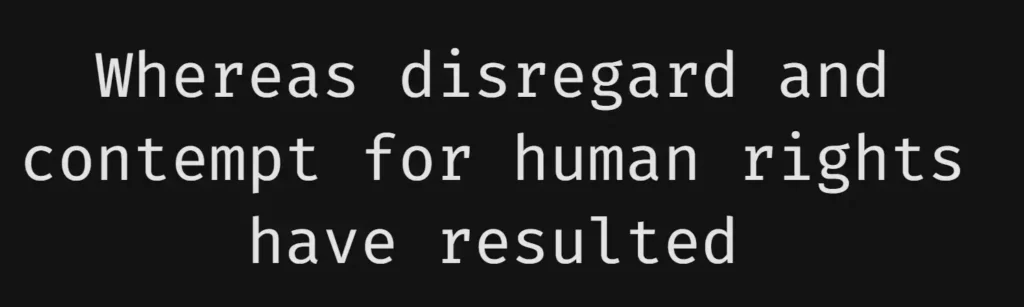
Fira Code is the undisputed king of coding font ligatures. It takes standard programming symbols like => or != and beautifully turns them into single, readable glyphs.
Pros: Unmatched ligature support, very familiar, heavily supported by the community.
Cons: The ligatures can confuse absolute beginners.
Best for: Web developers and JavaScript engineers.
Languages: JavaScript, TypeScript, HTML, CSS.
Ligatures: Yes, it is famous for them.
Platforms: VS Code, Sublime Text, Atom.
3- Cascadia Code
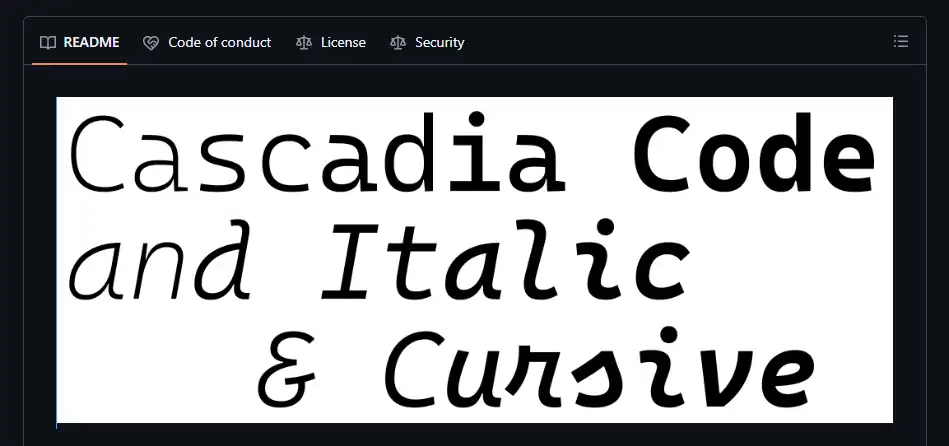
Microsoft built Cascadia Code alongside the Windows Terminal. It provides a fresh, modern look and includes beautifully stylized cursive italics.
Pros: Native Windows feel, great cursive italics, very bold and readable.
Cons: The default weight feels slightly heavy on some Mac monitors.
Best for: Windows users and terminal enthusiasts.
Languages: C#, C++, PowerShell.
Ligatures: Yes.
Platforms: Windows Terminal, Visual Studio, VS Code.
Source Code Pro
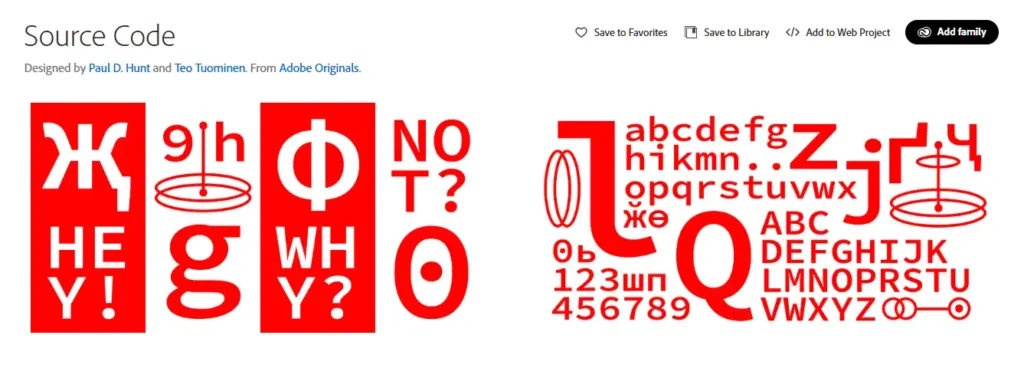
Adobe created Source Code Pro to serve as a highly readable, neutral typeface. It remains one of the most reliable fonts for coding because it completely avoids flashy features.
Pros: Extremely clean, highly professional, great for minimalists.
Cons: No built-in ligatures.
Best for: Developers who want a distraction-free screen.
Languages: Go, Ruby, Python.
Ligatures: No.
Platforms: Linux, macOS, Windows.
Hack
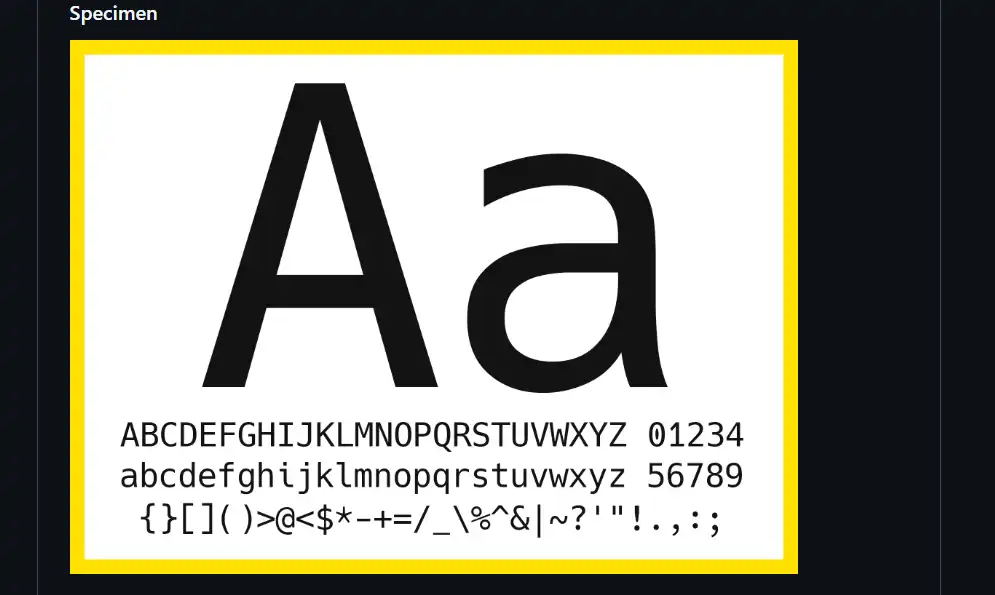
Hack is a legendary font built specifically for system programming. The designers tweaked the spacing to ensure that characters never bleed together on low-resolution screens.
Pros: Incredible clarity at small font sizes, huge open-source community.
Cons: The design feels a bit older compared to newer options.
Best for: System admins, backend developers, and terminal users.
Languages: C, Rust, Bash.
Ligatures: No.
Platforms: Linux terminals, Vim, Neovim.
Iosevka
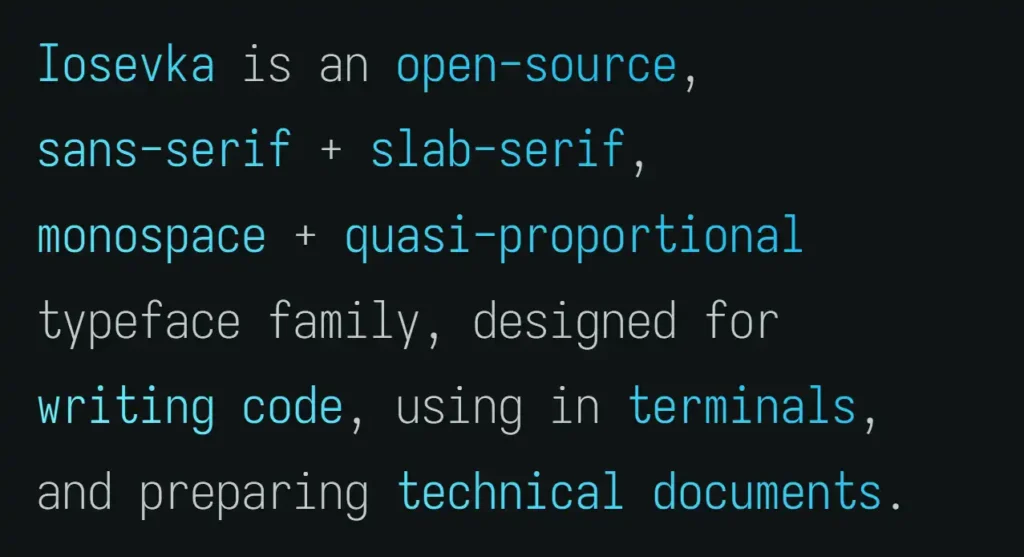
Iosevka is a slender, narrow typeface. It allows you to fit much more code on your screen horizontally without losing any clarity.
Pros: High density, highly customizable build process, clean look.
Cons: The narrow letters take some time to get used to.
Best for: Developers using vertical split screens or smaller laptop monitors.
Languages: All languages.
Ligatures: Yes, optional.
Platforms: Neovim, VS Code.
Monaspace
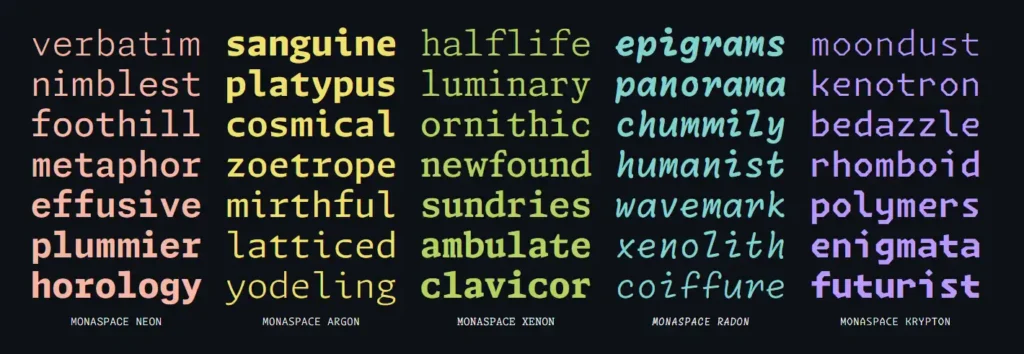
GitHub recently released the Monaspace font family. It introduces a brand new concept called “texture healing” which dynamically adjusts spacing to make code flow like natural text.
Pros: Highly innovative, includes five different font styles (Neon, Argon, Xenon, Radon, Krypton).
Cons: Texture healing requires modern editor support to work fully.
Best for: Early adopters and typography nerds.
Languages: All languages.
Ligatures: Yes.
Platforms: VS Code.
IBM Plex Mono
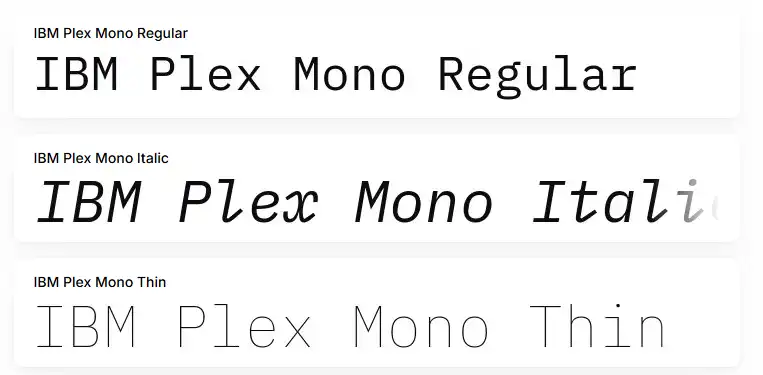
IBM Plex Mono is a handsome, utilitarian font. It borrows design elements from vintage IBM typewriters but looks perfectly at home in a modern code editor.
Pros: Very sharp, excellent italic styling, highly professional.
Cons: Can feel a bit rigid or blocky.
Best for: Enterprise developers and data scientists.
Languages: SQL, R, Python.
Ligatures: No.
Platforms: All major IDEs.
Victor Mono
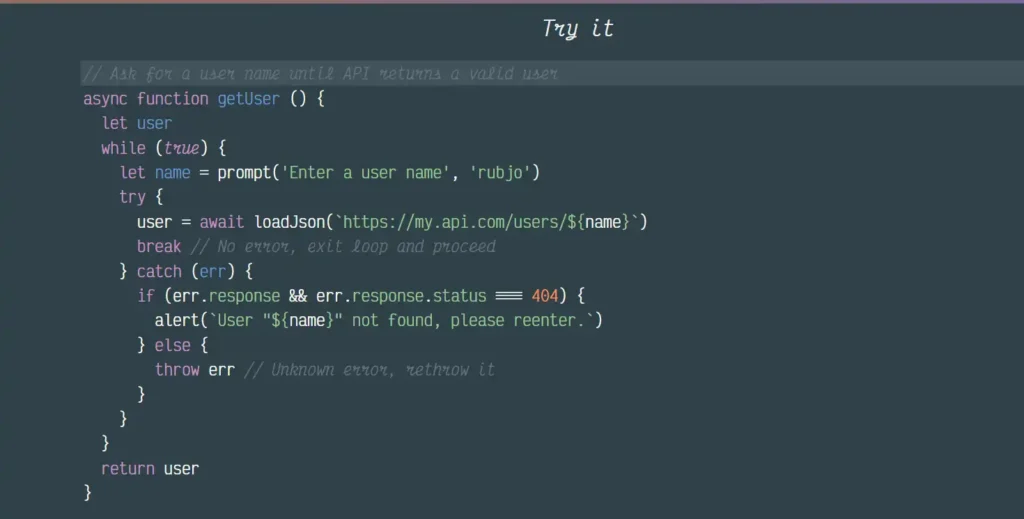
Victor Mono is famous for one specific feature. It includes distinct, semi-connected cursive italics. This makes your comments and keywords look handwritten.
Pros: Beautiful cursive italics, very elegant aesthetic.
Cons: The cursive style is heavily debated and distracts some people.
Best for: Front-end developers who love customized themes.
Languages: React, Vue, HTML.
Ligatures: Yes.
Platforms: VS Code.
Inconsolata
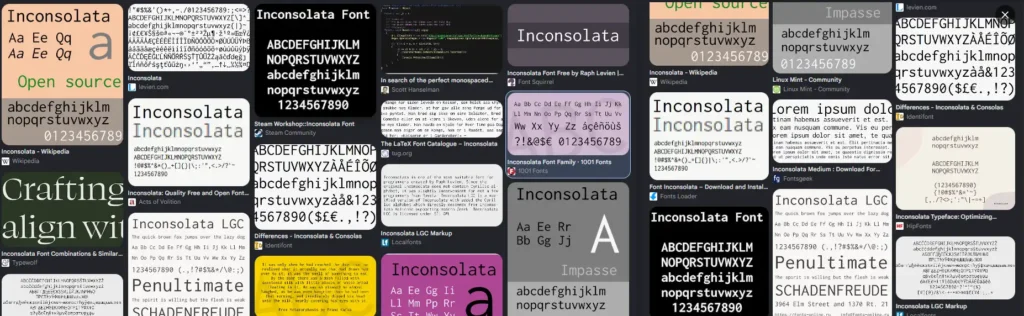
Inconsolata is a widely loved classic. It draws inspiration from high-end printed books and brings that elegant styling into the programming world.
Pros: Very smooth curves, extremely easy on the eyes.
Cons: Lacks the sharp, technical feel of modern fonts.
Best for: Writers who code, or developers who write extensive documentation.
Languages: Markdown, LaTeX.
Ligatures: No.
Platforms: macOS, Linux.
Anonymous Pro
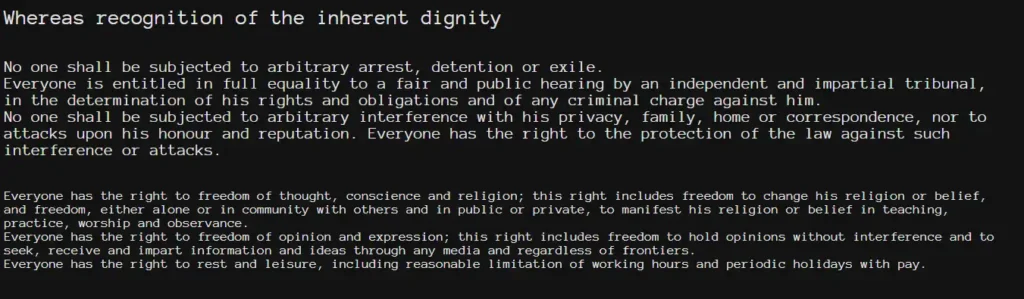
Designed with a classic Macintosh feel, Anonymous Pro is straightforward and legible. It works exceptionally well at very small font sizes.
Pros: Great for low-resolution monitors, distinct characters.
Cons: The aesthetic is quite dated.
Best for: Retro setups and older hardware.
Languages: C, Perl.
Ligatures: No.
Platforms: Terminal.
DejaVu Sans Mono
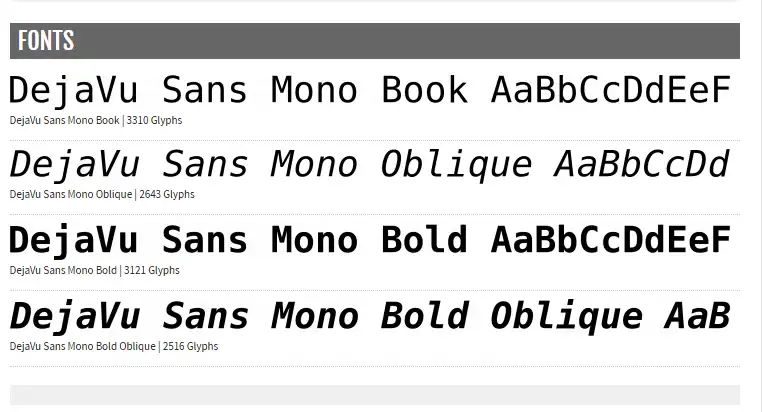
DejaVu Sans Mono has been a default standard in the Linux world for years. It covers a massive range of Unicode characters.
Pros: Incredible character support, very familiar to veteran coders.
Cons: Lacks modern features.
Best for: Linux users.
Languages: Bash, Python.
Ligatures: No.
Platforms: Linux terminal.
Consolas
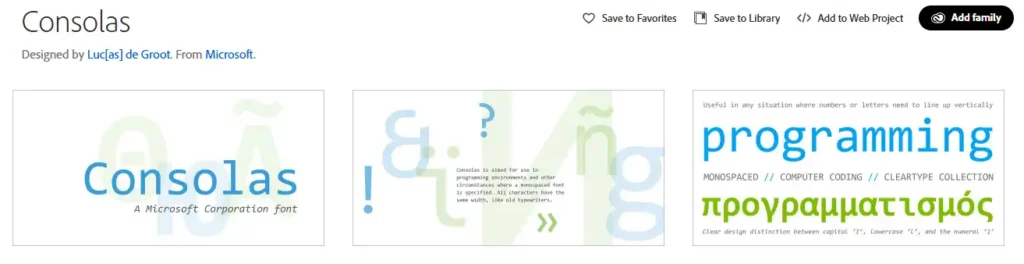
Consolas has been the standard for Microsoft Visual Studio for over a decade. It is crisp, professional, and heavily optimized for Windows screens using ClearType.
Pros: Built-in to Windows, highly legible, familiar.
Cons: Hard to legally install on Mac or Linux without a Microsoft Office license.
Best for: C# developers and Visual Studio users.
Languages: C#, F#, C++.
Ligatures: No.
Platforms: Visual Studio.
Best Paid Coding Fonts
If you want a truly unique programming typography setup, premium fonts offer distinct styles and massive glyph sets.
Operator Mono
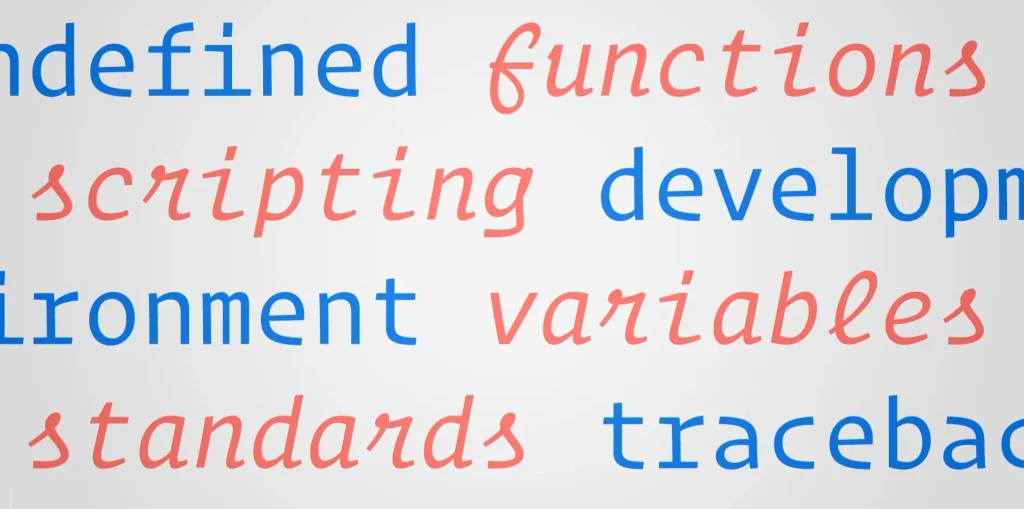
Operator Mono is a premium commercial font. It pioneered the trend of using vibrant, cursive italics for coding. It gives your editor a beautiful, magazine-like aesthetic.
Dank Mono
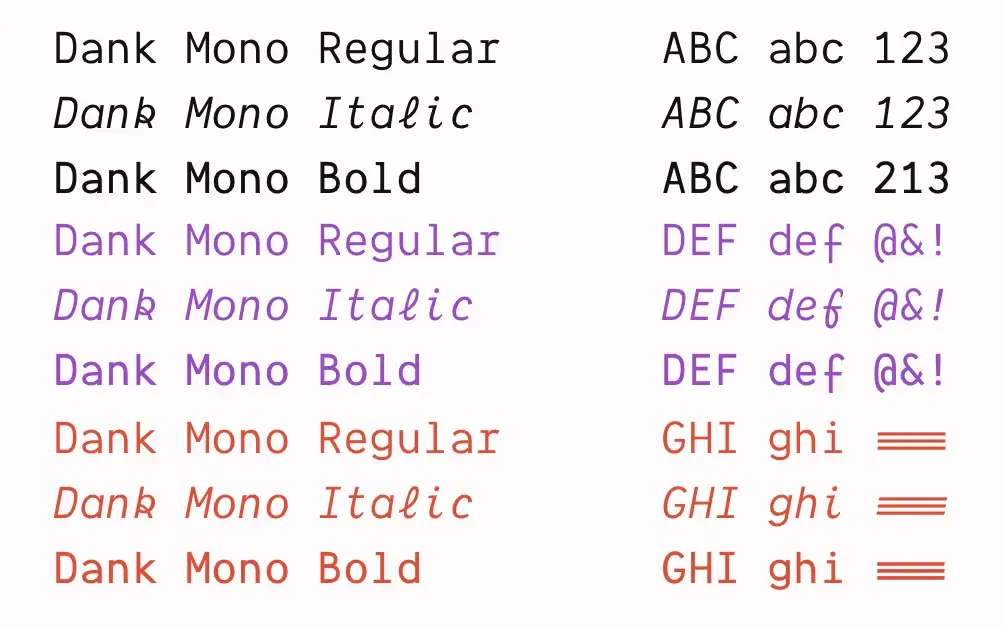
Dank Mono is a slightly more affordable alternative to Operator Mono. Web developers love it for its playful, modern look and excellent cursive italics.
MonoLisa
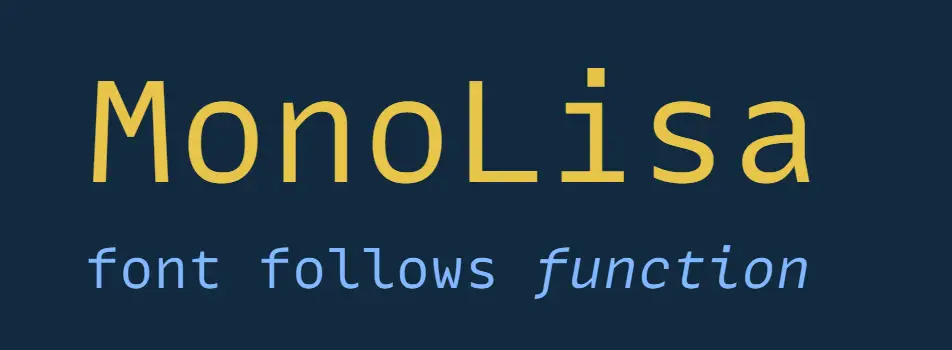
MonoLisa focuses heavily on reading flow. The designers made the letters slightly wider than average. This pushes your eyes forward, which helps increase coding speed.
PragmataPro
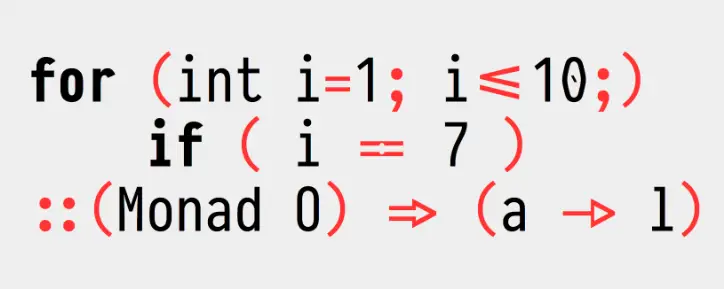
PragmataPro is an incredibly dense, feature-rich font. It has thousands of custom characters and no space between lines. It is the ultimate choice for hardcore terminal users who want maximum screen real estate.
What Makes a Great Coding Font?
Before we look at the specific fonts, you need to understand what makes a developer font different from standard text.
What is a coding font?
A coding font is a typeface created specifically for writing and reading source code. Designers build these fonts to make syntax clear and predictable. They focus heavily on punctuation, spacing, and character height.
Why developers use monospaced fonts
In a monospaced font, every single character takes up the exact same amount of horizontal space. An “i” takes up just as much room as a “w”. This grid-like structure is vital for programming. It aligns your code vertically, which makes reading nested loops and indented logic incredibly easy.
How coding fonts improve readability
Great developer fonts fix common visual problems. For example, they slash or dot the number zero so it looks nothing like the capital letter O. They also make sure the lowercase “l”, capital “I”, and the number “1” look completely unique. This prevents frustrating syntax errors.
Do coding fonts improve productivity?
Yes, they absolutely do. When your eyes do not have to struggle to decipher tiny symbols, you process information faster. This reduces cognitive load. Less eye strain means you can work longer and stay focused.
How We Selected the Best Coding Fonts
To find the best programming fonts for 2026, we looked at several strict factors:
- Readability: Are the characters distinct and clear?
- Ligatures: Does the font combine common operators into single symbols?
- Zero vs O distinction: Can you instantly tell numbers from letters?
- Lowercase height: Taller lowercase letters are generally easier to read.
- IDE compatibility: Does it work perfectly in VS Code, JetBrains IDEs, and Neovim?
- Cost: We heavily favored free coding fonts while including top-tier paid options.
Best Coding Fonts Compared
Here is a quick look at how these fonts stack up against each other.
| Font Name | Free / Paid | Ligatures | Eye Comfort | Best IDE |
|---|---|---|---|---|
| JetBrains Mono | Free | Yes | Excellent | JetBrains, VS Code |
| Fira Code | Free | Yes | Great | VS Code |
| Source Code Pro | Free | No | Excellent | Neovim, VS Code |
| Cascadia Code | Free | Yes | Great | Windows Terminal |
| MonoLisa | Paid | Yes | Excellent | VS Code, WebStorm |
| Hack | Free | No | Good | Terminal, Neovim |
Best Coding Fonts for VS Code
JetBrains Mono is the best overall coding font for VS Code. It has a tall x-height for easy reading and comes with 138+ ligatures, free. Fira Code is the top pick if you want strong ligature support.
Top Free Coding Fonts
- JetBrains Mono: Tall lowercase letters, 138+ ligatures, free
- Fira Code: Turns symbols like => and != into clean single glyphs, most popular open-source coding font on GitHub
- Cascadia Code: Microsoft’s default for Windows Terminal, clean look, includes cursive italic version
- Source Code Pro: Adobe’s font, no ligatures, simple and distraction-free
Modern and Minimalist Fonts
- Monaspace: GitHub’s font with “texture healing” to fix spacing gaps
- Geist Mono: Vercel’s minimal font, sharp on high-DPI screens
- Iosevka: Narrow font, fits more code on screen, good for multi-panel setups
Premium Coding Fonts
- MonoLisa (~$149): Wider spacing designed to reduce eye fatigue
- Operator Mono (~$200): Cursive italics for keywords and comments
Font Comparison Table
| Font | Price | Key Feature | Ligatures |
|---|---|---|---|
| JetBrains Mono | Free | Tall x-height | Yes (138+) |
| Fira Code | Free | Most popular on GitHub | Yes (100+) |
| Cascadia Code | Free | Clean design, italic option | Yes |
| Monaspace | Free | Texture healing spacing | Yes |
| Geist Mono | Free | Minimal Vercel style | No |
| MonoLisa | Paid (~$149) | Wide spacing | Yes |
How to Install a Coding Font in VS Code
- Download and install the font on your computer (unzip and install the .ttf or .otf files)
- Open VS Code settings (Ctrl+, on Windows/Linux, Cmd+, on macOS)
- Search for “Font Family” and add your font name first, with a fallback after it
- If the font has ligatures, search “Font Ligatures” and turn it on in settings.json
Best Coding Fonts for JetBrains IDEs
JetBrains Mono is the best default coding font for JetBrains IDEs. It is built to reduce eye strain during long sessions and comes as the native default across all JetBrains tools.
Top Coding Fonts for JetBrains IDEs
- JetBrains Mono: Best for clean, balanced daily use. Native default font, taller x-height, zero-ambiguity characters, built-in ligatures
- Fira Code: Best for ligature-heavy workflows. Turns symbols like => and != into clean single glyphs
- Cascadia Code: Best for Windows and terminal integration. Crisp spacing, full ligature support, looks sharp in dark mode
- Iosevka: Best for maximizing screen space. Ultra-slim monospace font, fits more code columns on screen
- Source Code Pro: Best for minimalists. Clean traditional layout, no ligatures, symbols keep their normal shape
Best Coding Fonts for Neovim
Neovim users rely heavily on plugins that require custom icons. For this setup, you need fonts patched with extra symbols. You should look for Nerd Font versions of Hack, Iosevka, or Source Code Pro. You can find patched versions directly at the Nerd Fonts official website.
Best Coding Fonts for Terminal
Terminal text needs to be sharp and unmistakable. Cascadia Code is brilliant for the Windows Terminal. On Linux or macOS, Hack and Anonymous Pro provide the perfect blend of readability and density for command-line work.
Best Coding Fonts Without Ligatures
Many developers find ligatures distracting. If you want every single character separated exactly as you typed it, use Source Code Pro, Hack, Consolas, or IBM Plex Mono.
Best Coding Fonts With Ligatures
If you love modern symbols that turn !== into a clean graphical line, your best options are Fira Code, JetBrains Mono, Monaspace, and Cascadia Code.
Free vs Paid Coding Fonts
Should you actually buy a font? Here is a breakdown of what you get.
| Feature | Free Fonts (e.g., Fira Code) | Paid Fonts (e.g., MonoLisa) |
|---|---|---|
| Cost | $0 | $40 to $200+ |
| Quality | Extremely high | Premium, highly tuned |
| Styles | Standard, Bold, Italic | Custom cursive, many weights |
| Support | Community driven | Direct developer support |
| Best For | 99% of developers | Typography enthusiasts |
Practical Usage: Real-Life Application
Imagine you are a backend developer hunting down a bug during a 10-hour coding marathon. You are staring at thousands of lines of Python code.
If you use a generic system font, your eyes will constantly strain to see if a variable is named l1_data or I1_data. The characters blur together. You get a headache.
Now, imagine switching to JetBrains Mono. The lowercase “l” has a distinct curve at the bottom. The capital “I” has strong horizontal bars. The number “1” has a sharp angle. Instantly, the bug becomes obvious. Furthermore, the slightly taller letters reduce the amount of squinting you have to do. This simple typography change physically protects your eyesight and improves your programming workflow.
How to Install Coding Fonts
Installing developer typography is a very simple process.
Windows
- Download the font files (usually a .zip containing .ttf or .otf files). You can find many on Google Fonts.
- Extract the folder.
- Select all the font files, right-click, and choose Install or Install for all users.
macOS
- Download and extract the font files.
- Double-click the font file.
- Click the Install Font button in the Font Book popup window.
Linux
- Move your downloaded font files into the
~/.local/share/fontsdirectory. - Open your terminal and run the command
fc-cache -f -vto update your system font cache.
VS Code
- Open settings (Ctrl + , or Cmd + ,).
- Search for “Font Family”.
- Type the exact name of your new font at the front of the list.
- To enable ligatures, search “Font Ligatures” and click “Edit in settings.json”. Set
"editor.fontLigatures": true.
JetBrains IDE
- Open Settings/Preferences.
- Go to Editor > Font.
- Select your desired font from the dropdown menu and apply.
Terminal
Every terminal is different. Usually, you right-click the terminal window, open Preferences or Profile Settings, and select your new monospace font from the typography options.
How to Choose the Best Coding Font
Your personal choice depends on a few specific variables.
Screen resolution: If you have a 4K monitor, detailed fonts like Victor Mono look amazing. On a low-resolution 1080p screen, stick to highly legible options like Hack or Source Code Pro.
Dark mode vs Light mode: Some fonts appear much thicker in dark mode. You might need to drop the font weight down one level to keep it readable against a dark background.
Programming language: If your language uses a lot of symbols (like JavaScript), ligatures are incredibly helpful. If you write mostly Python or C, simple, clean spacing matters much more.
Frequently Asked Questions
What is the best coding font?
There is no single perfect choice, but JetBrains Mono and Fira Code are universally considered the best free options due to their developer-focused design and readability.
Which coding font is easiest to read?
JetBrains Mono is widely regarded as the easiest to read because it increases the height of lowercase letters, which reduces eye strain during long sessions.
Are programming ligatures worth using?
Yes, if you write code with heavy operators like JavaScript or PHP. Ligatures turn ugly symbol combinations into clean, mathematical shapes. However, beginners should avoid them until they master standard syntax.
What font do professional programmers use?
Professional programmers typically use JetBrains Mono, Fira Code, Consolas, or Cascadia Code. These fonts are highly reliable and integrated into top-tier tools.
Is JetBrains Mono better than Fira Code?
It depends on your preference. JetBrains Mono has taller letters and cleaner vertical spacing, while Fira Code has a slightly older, classic feel with more aggressive ligature combinations.
Which free coding font is best for VS Code?
Fira Code and JetBrains Mono are the top choices for VS Code because they fully support the editor’s advanced ligature rendering and look stunning on its default dark themes.
Final Thoughts On Best Overall Coding or Programming Fonts
Choosing the right font upgrades your entire developer setup. It is completely free to experiment, so download a few and see how they feel.
Our top recommendations based on your profile:
- Beginners: Stick to Source Code Pro. It is clean, simple, and has no confusing ligatures.
- Professionals: Use JetBrains Mono. It is perfectly balanced for 8-hour workdays.
- Web Developers: Download Fira Code or Dank Mono. The ligatures and cursive italics make web frameworks look fantastic.
- Terminal Users: Install Cascadia Code or Hack. They offer crisp, unmistakable density for server environments.
- Minimalists: Try Iosevka. It gives you a sleek, narrow profile that maximizes your screen space.
Want to change anything in this contact us thanks.